
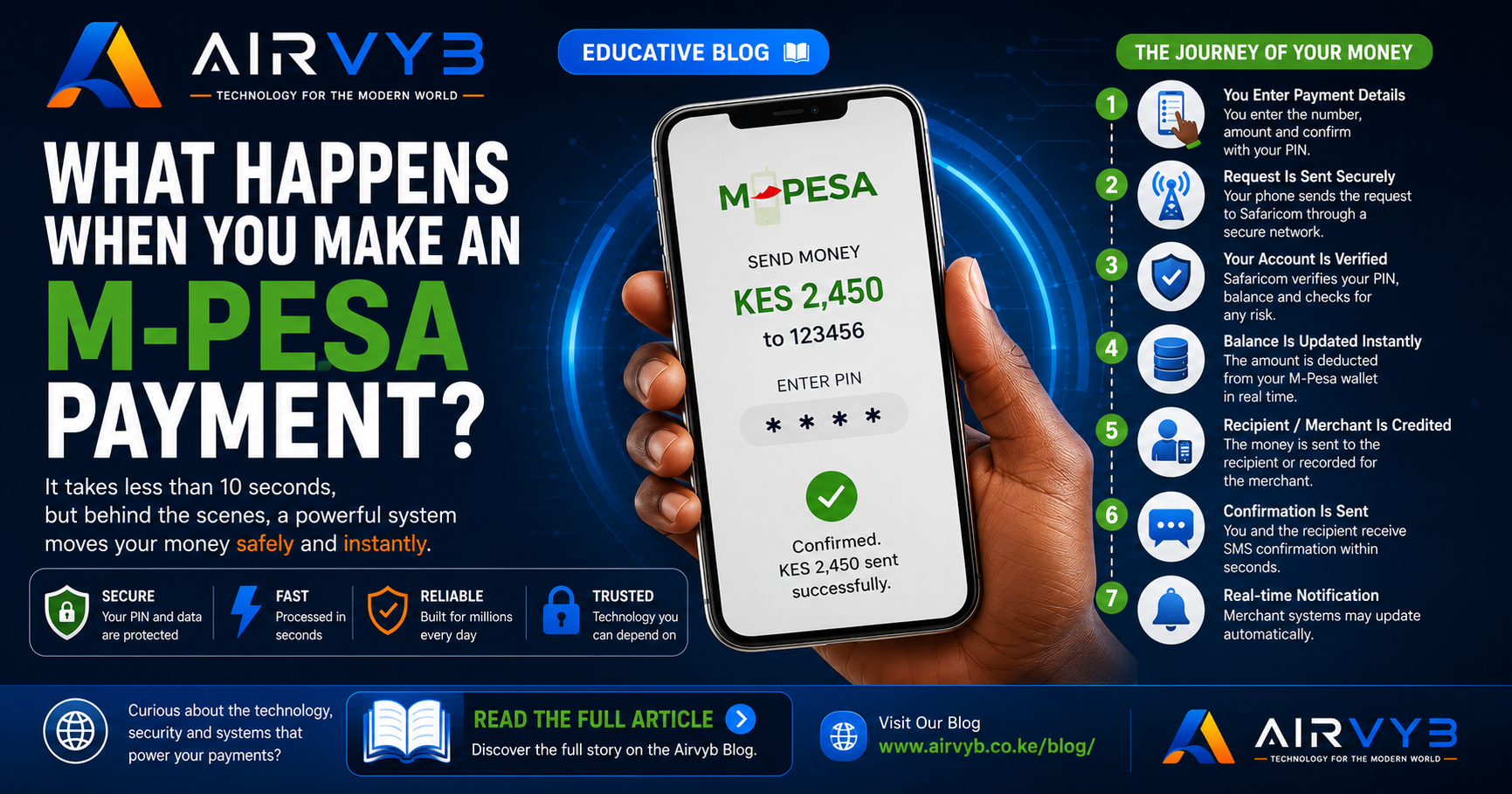
What Happens When You Make an M-Pesa Payment?
You tap a few buttons, enter your PIN, and within seconds the recipient receives the money. It feels almost instant—but behind that simple action is a sophisticated financial system processing your transaction securely and reliably.
Imagine This
You're at a supermarket. The cashier tells you the total is KES 2,450.
Instead of handing over cash, you take out your phone, open M-Pesa, enter the till number, type the amount, confirm with your PIN, and press OK.
A few seconds later:
"Confirmed. KES 2,450 sent successfully."
The cashier's system also confirms the payment.
Simple, right?
But what actually happened in those few seconds?
Let's follow your money's journey.
Step 1: You Enter the Payment Details
When you enter:
- Business number (or phone number)
- Amount
- Your M-Pesa PIN
your phone first checks that everything is complete.
At this point:
- No money has moved.
- The payment hasn't reached Safaricom yet.
You're simply preparing a secure request.
Step 2: Your Phone Sends an Encrypted Request
After you press OK, your phone sends the payment request through Safaricom's mobile network.
If you're using the M-Pesa app, the request travels through an encrypted internet connection.
If you're using USSD (such as *334# or the SIM Toolkit), it travels through Safaricom's signaling network rather than the public internet.
Either way, the information is protected while in transit.
The request contains details such as:
- Your phone number
- Recipient or business number
- Amount
- Time
- Transaction type
- Security information
- Device and network details (where applicable)
Step 3: Safaricom Verifies Your Identity
Before any money moves, several checks happen in the background.
The system verifies:
✅ Is your PIN correct?
✅ Is your M-Pesa account active?
✅ Do you have enough balance?
✅ Is the recipient valid?
✅ Has your account been restricted?
✅ Does the transaction comply with fraud and risk rules?
If any check fails, the payment is rejected immediately.
Step 4: Your M-Pesa Balance Is Debited
Once the checks pass, the system deducts the amount from your M-Pesa wallet.
This isn't like moving physical cash.
Instead, Safaricom updates its secure financial records to reflect that:
- Your wallet balance has decreased.
- The recipient's account or merchant settlement record will increase accordingly.
Think of it like a digital ledger where balances are updated almost instantly.
Step 5: The Transaction Is Recorded
Every payment creates a transaction record.
This includes:
- Unique transaction ID
- Sender
- Recipient
- Amount
- Date and time
- Payment type
- Status
- Other operational information needed for auditing and compliance
These records help with:
- Receipts
- Customer support
- Dispute resolution
- Fraud detection
- Financial reporting
Step 6: The Recipient Gets Credited
Now the recipient receives the funds.
What happens next depends on who you're paying.
If You're Paying Another Person
Their M-Pesa wallet balance increases.
If You're Paying a Till Number (Buy Goods)
The payment is recorded against the merchant's till.
The business owner can later reconcile sales and receive settlement according to the merchant service arrangements.
If You're Paying a PayBill
The payment is associated with the business account and any account number you entered, allowing the organization to identify who made the payment.
Step 7: SMS Notifications Are Generated
Now comes the part everyone notices.
Both parties receive confirmation messages.
These messages include information such as:
- Amount paid
- Recipient
- Transaction ID
- Remaining balance (where applicable)
- Date and time
The SMS is generated after the transaction has been processed successfully.
Step 8: Merchant Systems May Update Automatically
Many businesses connect their systems directly to M-Pesa.
When your payment is confirmed, software can automatically:
- Mark an invoice as paid
- Update inventory
- Issue a receipt
- Unlock a subscription
- Activate a service
- Notify staff
- Update accounting records
This is why many businesses no longer need to verify payments manually.
Why Does It Feel Instant?
Several technologies work together to minimize delay:
- High-speed telecommunications networks
- Redundant servers
- Fast databases
- Automated transaction processing
- Continuous system monitoring
Although the process involves multiple verification steps, they are designed to happen very quickly.
What If the Network Goes Down?
If communication is interrupted, different outcomes are possible depending on when the interruption occurs.
For example:
- The request may never reach the system.
- The transaction may be rejected.
- Processing may be delayed while systems retry or reconcile.
Financial systems are designed with safeguards to reduce the risk of duplicate or inconsistent transactions, though customer support may occasionally be needed if an issue occurs.
Why Do You Need Your PIN?
Your M-Pesa PIN acts as proof that you're authorizing the transaction.
Without the correct PIN, the system won't approve the payment, even if someone has your phone.
That's why you should never share your PIN with anyone.
How Is Fraud Reduced?
Behind every payment, automated systems look for suspicious activity.
Examples include:
- Unusual transaction patterns
- Rapid repeated payments
- Transactions outside normal behavior
- High-risk destinations
- Other indicators that may require additional review
These checks help protect both customers and merchants.
The Entire Journey in Seconds
Here's the complete flow:
You Enter Payment Details
            │
            ▼
Phone Sends Secure Request
            │
            ▼
Safaricom Verifies Your Account
            │
            ▼
Balance Is Updated
            │
            ▼
Transaction Is Recorded
            │
            ▼
Recipient or Merchant Is Credited
            │
            ▼
Confirmation SMS Is Sent
            │
            ▼
Merchant Systems May Update Automatically
Final Thoughts
Making an M-Pesa payment feels as simple as entering a PIN and pressing OK, but in those few seconds, a carefully engineered financial system is authenticating your identity, validating the transaction, updating secure records, notifying both parties, and often integrating with business software—all while aiming to keep your money safe.
The next time you pay with M-Pesa, remember that what seems like a single tap is actually a sequence of coordinated processes working together to move value quickly and securely.
0 Comments
Leave a Comment